

Home-Asset Management
Asset Management
Asset Management
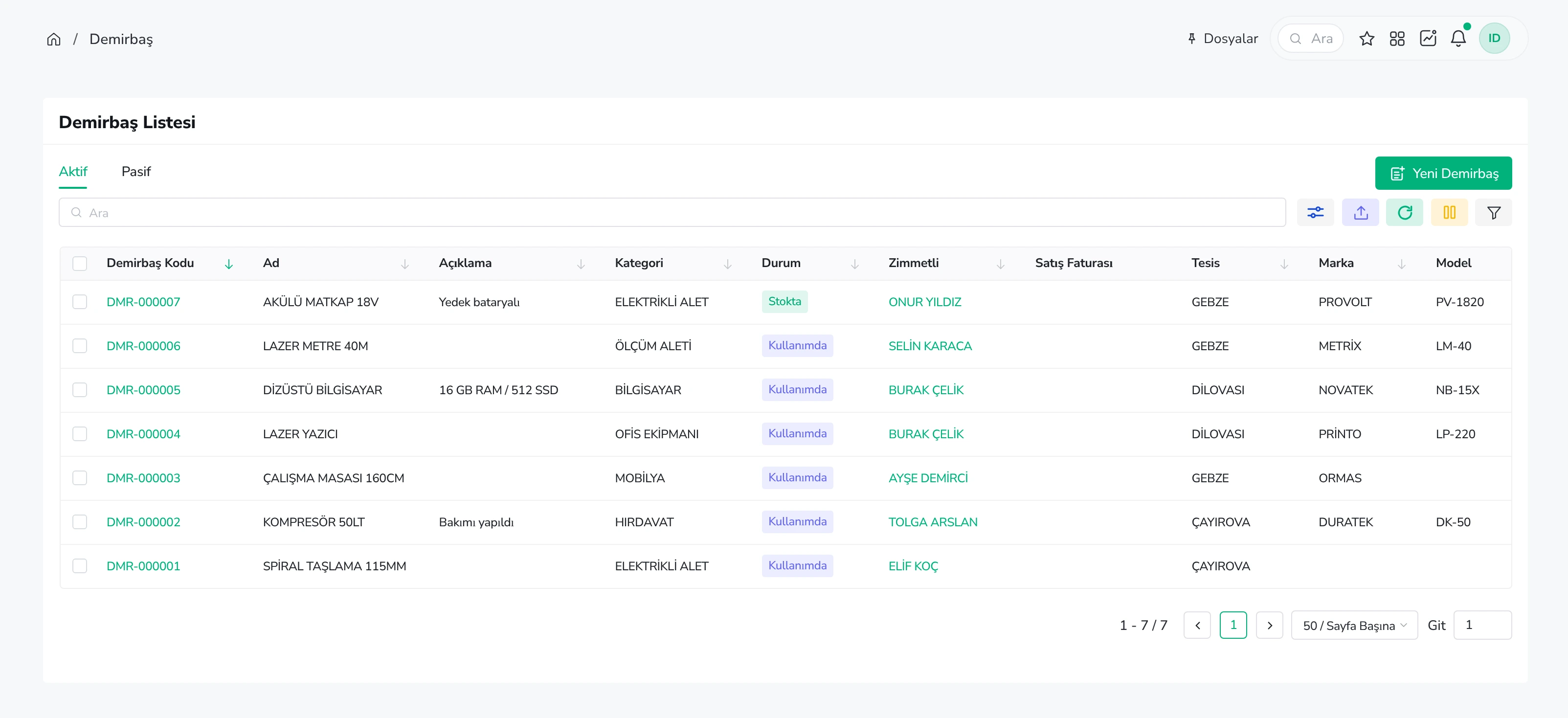
Get instant access to the status of your assets.
- Say goodbye to Excel spreadsheets and the confusion surrounding asset liabilities or maintenance schedules.
What does it offer?
- Asset Purchase – Create an asset record and register your new assets using the Service/Asset module.
- Labels & Liability Documents – Easily print barcode labels for your assets. If you are assigning an asset to someone, the system automatically generates the necessary liability documentation.
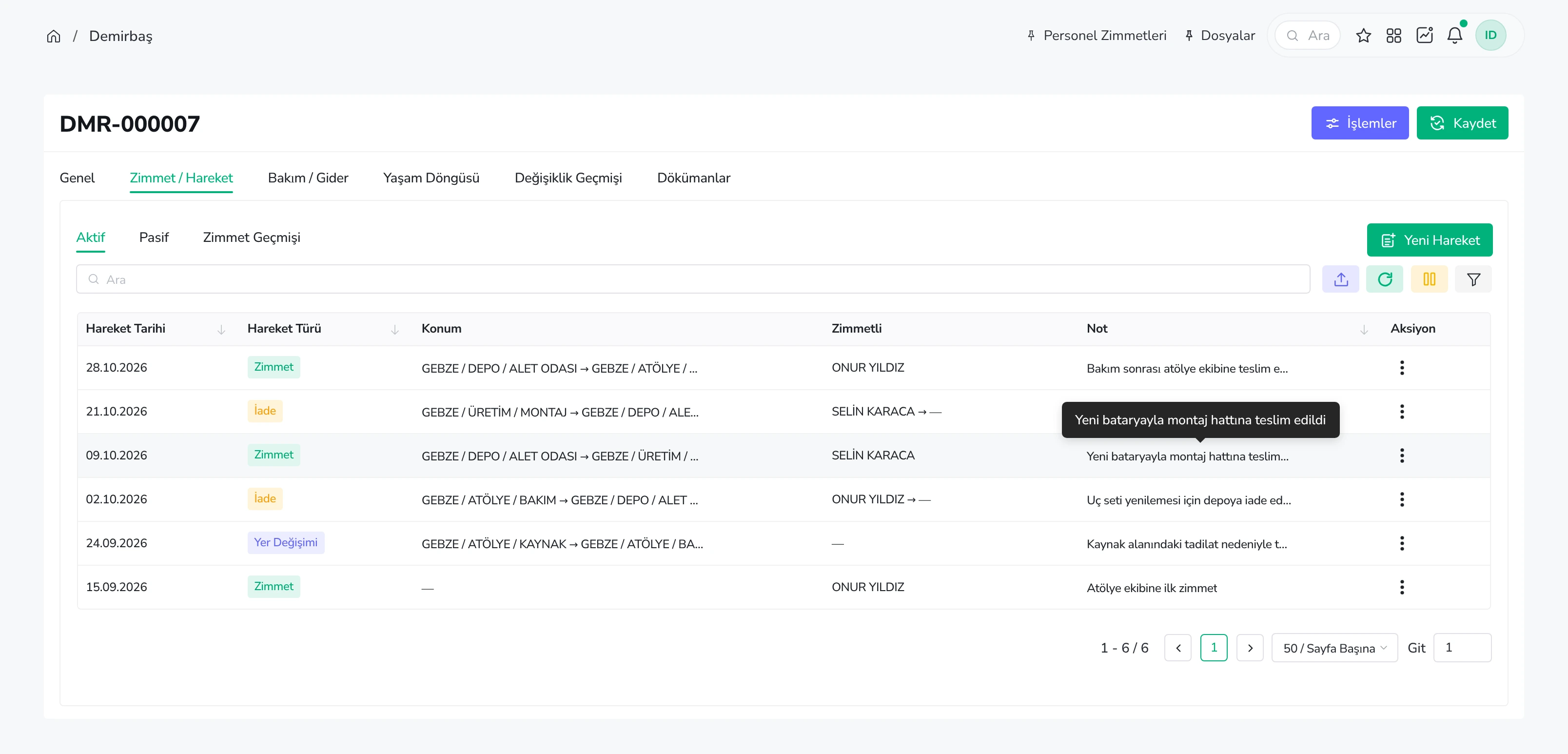
- Movement Tracking – Monitor the movement of your assets, track everything from liabilities to maintenance status.
- Calendar Integration – Add reminders for maintenance tasks directly to your system calendar.
Real-time asset control
-
Asset Status – View the current status of your assets—whether they are active, scrapped, or undergoing maintenance.
-
Accounting & Financial Tracking – Easily track key details, such as acquisition and disposal dates, directly from the asset screen. When selling an asset, simply select the corresponding asset record on the invoice; the system will automatically update the asset record and mark the item as inactive.
-
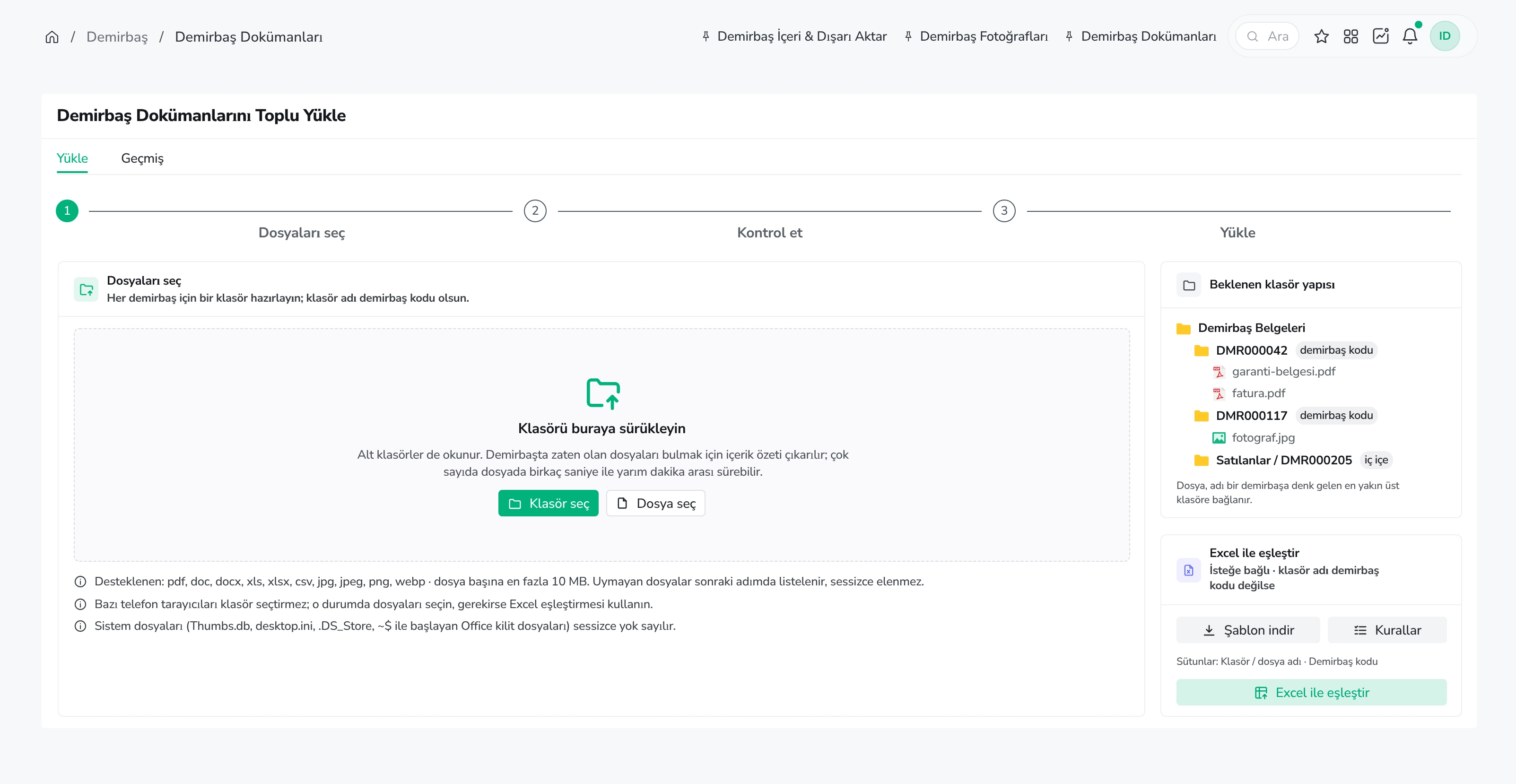
Import/Export – Import or export asset records via Excel. This eliminates the need for manual data entry when dealing with hundreds of assets.
Reporting and Analysis
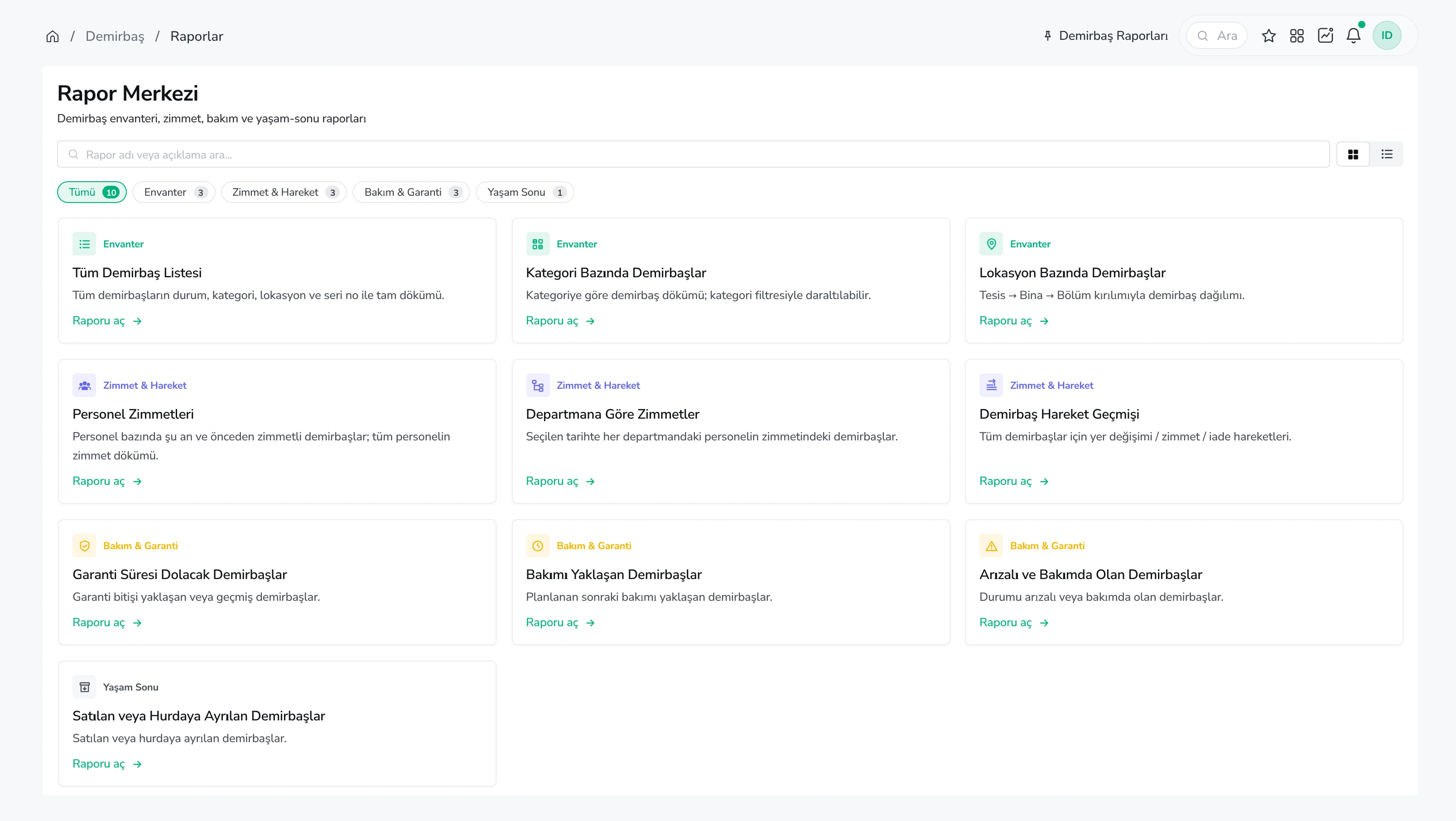
- Detailed report page -
- View the status of all assets.
- By category
- By location
- Assignments (custody)
- Movement history, and many other reports.
Use Cases
- Procurement Teams - Tracking the entire lifecycle of an asset, from acquisition to disposal.
- Finance Teams - Accounting-focused asset tracking.
- Management - Real-time asset tracking.